
OCI, Indian passport and e-Visa
Indian Documents Photos
OCI, Indian passport and e-Visa photos from your phone
OCI and e-Visa need a square photo, the OCI one on a light background that is not white. Indian passports need 630 x 810 on white. Pick yours and we check it before you pay.
 Every requirementverified before you pay
 Three formatsOCI, passport and e-Visa
 Acceptance guaranteedouble your money back

Your photo is deleted 30 days after delivery and never used to train AI.

 51 mm2 inches
About 80%of the photoFace sizeOCI photo
51 mm2 inches
51 mm2 inches
About 80%of the photoFace sizeOCI photoPhoto requirements
Indian Photo Sizes and Requirements
Each Indian application has its own photo. The picture shows the square OCI format; the table lists all three.
| OCI size | Square, 200 to 900 px, 200 KB or less |
|---|---|
| OCI background | Plain light color, not white |
| OCI face | About 80% of the photo |
| Passport size | 630 x 810 px (the 35 x 45 mm shape) |
| Passport background | White |
| Passport face | 80 to 85% of the photo |
| e-Visa file | Square JPEG, 10 KB to 1 MB |
| e-Visa background | Plain light or white |
| Glasses | Take them off for all three |
Sources: OCI Services FAQ, ociservices.gov.in, ICAO photo guidelines, passportindia.gov.in and e-Visa, indianvisaonline.gov.in. Always check the instructions for your application.
How it works
Your Indian document photo in 3 steps
Guided by the camera, measured by the software, checked before you pay.
Pick your document and take the photo
Choose OCI, passport or e-Visa. The camera guides you on distance, tilt and light while you line it up. Or upload a recent photo.
We make the right format
The AI crops it to your document's format, sizes your face, sets the background the document asks for and checks every requirement.
Upload it
The file is in your inbox within minutes, as soon as the final automated check passes. Upload it on the OCI, Passport Seva or e-Visa portal. A 4x6 print sheet comes with it if VFS asks for prints.
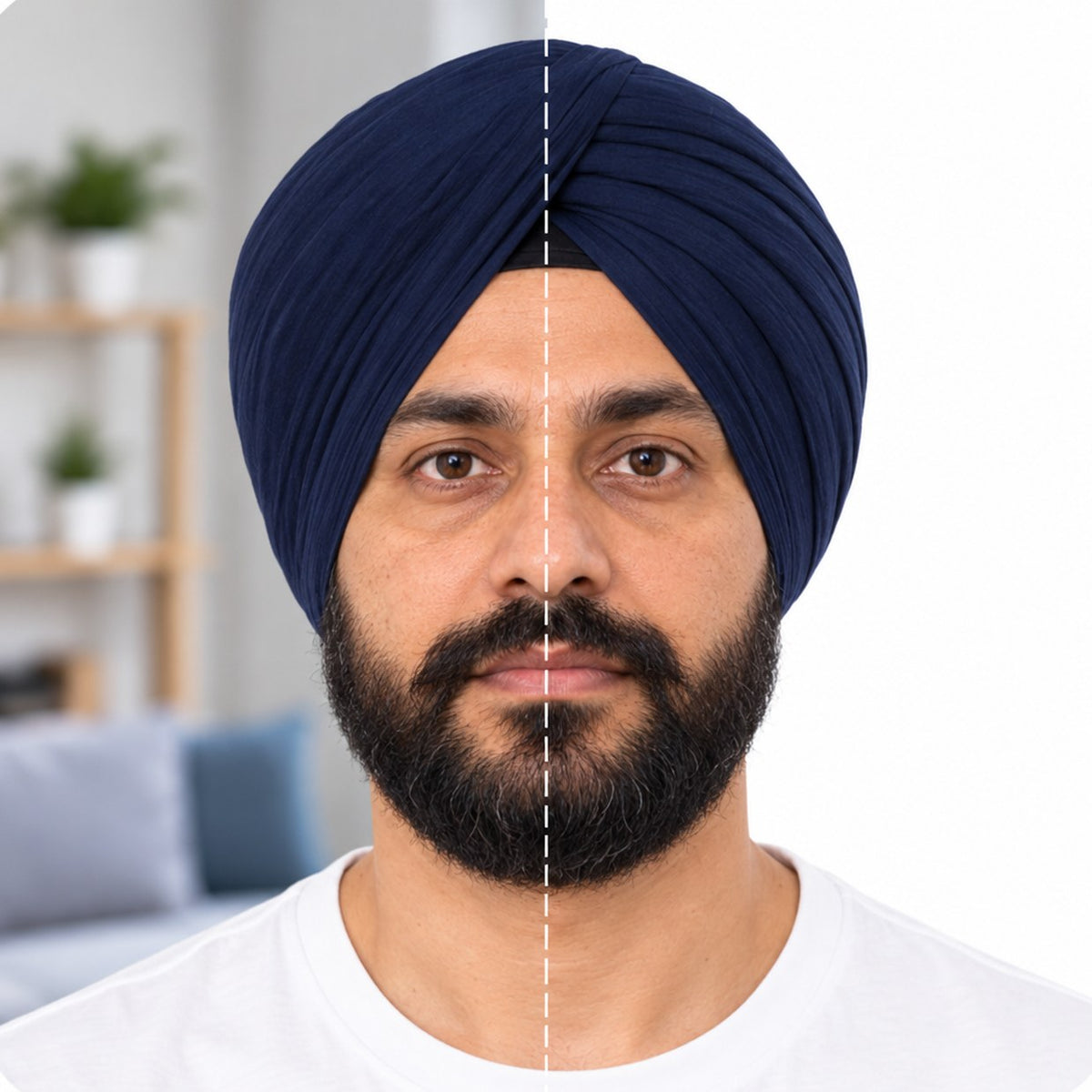
- Right format for your document
- Face size in range
- The background your document asks for
- Even lighting, no shadows
- Eyes open, mouth closed, no glasses
- Ready to upload
Three tips before you take the photo
Get these three right and the software handles the rest.

Distance From The Camera
Take the photo 16 to 20 inches, or 40 to 50 cm, from your face.

Face The Camera
Hold the camera at face height. Keep your head straight and your expression neutral.

Ensure Even Lighting
Stand facing a light source, such as a window. Don't worry about the background.


Why customers choose PassportPhotos
Fast, guided, and backed by our acceptance guarantee.
-
Three minutes of your time
Take the photo, watch the initial check pass, pay once. No account, no appointment, no line at a counter.

-
Guided, then checked
The camera guides you while you take it. Software does the crop, the background and the measurements, then verifies the result against the official requirements before you pay.

-
Accepted or double your money back
Add the Acceptance guarantee at checkout. If the authority rejects the photo, you get twice what you paid, to the card you used.


Accepted or double your money back
Every photo gets two automated checks: one while you take it, before you pay, and a final check of the finished photo before we release it. Add the Acceptance guarantee at checkout for $6.99 and that final check is stricter. If the authority rejects the photo, email us within 14 days of the rejection and you get twice what you paid.
What each Indian photo needs, in plain words
The three documents differ on background and framing, so one photo does not fit all of them. That is why you pick the document first.
OCI Card
Square, 200 to 900 pixels, no larger than 200 KB. Face about 80% of the photo, on a plain light background that is not white.

Indian Passport
Since 1 September 2025 only ICAO photos are accepted: 630 x 810 pixels, white background, face 80 to 85% of the photo.

Indian e-Visa
A square JPEG between 10 KB and 1 MB, plain light or white background, the full head from hair to chin.
Pose And Expression
Face the camera, natural expression, mouth closed, eyes open, head straight.

Glasses
Take them off. The passport and e-Visa photos do not allow them, and the OCI guide asks for no glare.
No Edits To Your Face
We crop, size and set the background. We never retouch or change your face.

The software measures the size, the background, the pose, the expression, glasses and the light before you pay. It cannot see when the photo was taken, so take a new one for your application.
Which applications use this photo
Choose the document in the photo tool and we make the matching format.
OCI Card
New OCI cards and reissues on ociservices.gov.in.
Passport Abroad
Indian passports applied for through an embassy or consulate, uploaded on the Passport Seva portal before you mail or submit it to VFS.
e-Visa
Tourist, business and medical e-Visas on indianvisaonline.gov.in.

VFS Appointments
If VFS asks for printed photos, print the 4x6 sheet that comes with your file.
Signature
The OCI and passport portals also ask for your scanned signature. We make the photo only.

One Photo Per Document
The formats differ, so an OCI photo will not work for a passport. Make the one your application needs.
What it costs
| Digital photoThe file for your document plus a 4x6 print sheet | $14.99 |
|---|---|
| DeliveryBy email, within minutes of the final check | Included |
| Acceptance guaranteeOptional, added at checkout | +$6.99 |
Prices show in your currency where we can, and taxes, where they apply, show at checkout. You pay once, after the initial check has passed, and never before.
Why Indian applications get photos returned, and how we catch it
The common problems:
- a white background on an OCI photo
- a face too small for the new passport format
- glasses or glare
- a file that is too large or the wrong shape
- shadows across the face
Pick your document and the software builds that exact format, then checks it before you pay.
What we do not do to your photo
We crop it, size it, place your head correctly and set the background your document asks for. We do not change your face, your features, your eyes or your expression. Altered photos get rejected, and a photo that looks like you is the whole point.
Sources: OCI Services FAQ, ociservices.gov.in, ICAO photo guidelines, passportindia.gov.in and e-Visa, indianvisaonline.gov.in. Always check the instructions for your application.
FAQ
Your questions, answered
Why does the OCI photo need a background that is not white?
The OCI portal asks for a plain light background that is not white. We make the OCI photo on a very light gray-blue, and the passport and e-Visa photos on white, as each one requires.Can I use one photo for my OCI and my passport?
No. Since September 2025 the passport needs a 630 x 810 photo on white with a larger face, while the OCI needs a square photo on a light background that is not white. Make the one for your application.Which file do I upload?
The JPEG we email you within minutes of paying, once the final automated check passes. It is already the size and shape the portal asks for.Do I need prints for VFS?
If VFS asks for printed photos, print the 4x6 sheet that comes with your file at any photo shop.Do I have to take my glasses off?
Yes. The passport and e-Visa photos do not allow glasses, and the OCI photo must have no glare.Do you make the signature too?
No, we make the photo only. The portals ask you to scan your own signature.Does the guarantee cover Indian applications?
Yes. With the Acceptance guarantee, if the authority rejects your photo, send us the rejection notice within 14 days and you get double your money back.What happens to my photo afterward?
Used to make your photo and for nothing else. Deleted 30 days after delivery, never used to train AI.
Get started
Choose your document
We make compliant photos for official IDs from all over the world. We do not provide or issue the documents themselves.


