
About three minutes, start to finish
How It Works
From your phone to a compliant photo, checked before you pay
The camera guides you while you take it. Software crops it, sets the background and measures every published requirement for your document. You see every result, and you pay only once the check has passed.
 Guided cameradistance, tilt and light
 Every requirementverified before you pay
 Acceptance guaranteedouble your money back

Your photo is deleted 30 days after delivery and never used to train AI.

Language
Changes the words on the site
Country and currency
Changes the prices you pay
How it works
Three steps, about three minutes
Guided by the camera, measured by the software, checked before you pay.
Take or upload a photo
The camera guides you on distance, tilt and light while you line it up. Or upload a photo you already have.
The AI does the tune up
It crops to the document's size, sizes the head, sets a plain background and runs the initial check, on screen, in a few seconds.
Pay, and it is yours
Pay once. The digital file is in your inbox within minutes, as soon as the final automated check passes. Mailed prints arrive in 3 to 5 business days, or 1 to 2 with Express. Or print the emailed sheet yourself at a store near you.
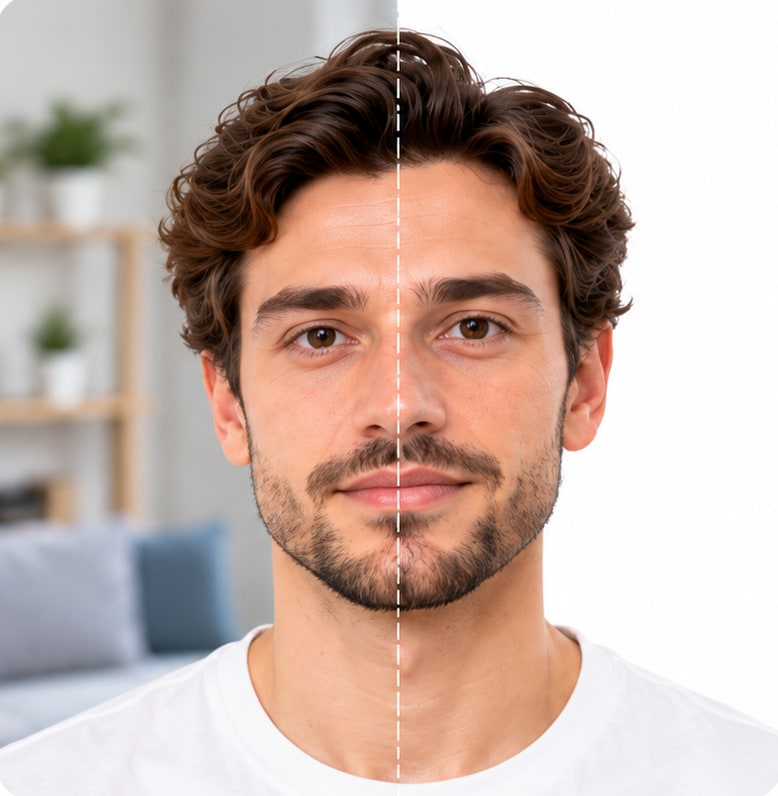
- Correct size
- Head height in range
- Plain white background
- Even lighting, no shadows
- Eyes open, mouth closed
- Ready to submit
Three tips before you take the photo
Get these three right and the software handles the rest.

Take It As A Selfie
Hold your phone at arm's length, 16 to 20 inches (40 to 50 cm) from your face. The guide sets the distance.

Face The Camera
Hold the camera at face height. Keep your head straight and your expression neutral.

Ensure Even Lighting
Stand facing a light source, such as an exposed window. Don't worry about the background.


What you get
Choose the format that works best for you.

DIGITAL PHOTO
A JPEG to the official spec
The file for your document, sized and verified against the official requirements. It reaches your inbox about a minute after you pay, ready to upload.
- In your inbox in minutes
- Sized to the official spec
- Upload it straight away

READY-TO-PRINT TEMPLATE
A 4x6 inch sheet, ready to print
Your photos laid out on a 4 x 6 inch sheet with cutting guides. Print it at home, or at a pharmacy or photo counter near you.
- CVS
- Walgreens
- Duane Reade
- Walmart
- Print at home or nearby
- Thousands of print counters
- Formatted and ready to print
You send your photo to the store from your phone in a few taps. We show you how, step by step.
Upload photo
PRINTOUT DELIVERY
Prints posted to your door
Add prints at checkout and we post 2, 4 or 6 photos on photo paper. Choose standard or expedited processing and shipping. Or print the emailed sheet yourself at a store near you.
- Standard or expedited shipping
- Standard or expedited processing
- Or print it yourself at a store near you
What the software checks, before you pay
Once you take or upload a photo, four things happen in a few seconds, on screen: cropping, removing the background, resizing and checking.
Six Checks On Screen
The "Initial check passed" screen shows your photo cropped to size with the measurement lines, and six checks:
- Face recognized
- One face only
- Minimum size
- Correct proportions
- Background can be replaced
- No red eyes

More Than Twenty Measurements
Behind those six: head height, centering, tilt and rotation, eyes open, mouth closed, glasses, head covering, shadows on the face and the background, exposure, color cast and sharpness. Tap "Show all checks" to see every one.

If A Check Fails
The screen names it and tells you the fix: step forward, more light, take off the glasses. Retake it as many times as you need, free.
What You Confirm Yourself
The one thing software cannot see is when the photo was taken. If you upload a photo, you confirm it is recent enough for your document before you go on: the last 6 months for a US passport or visa, the last month for a UK passport. Each document page lists its own rule.
What The AI Never Does
It never changes your face, your features, your eyes or your expression. Crop, size and background only.

Photo Retouching, If You Add It
Applied at payment: temporary skin blemishes, shadows under the eyes, single stray hairs and dust spots. Nothing that changes a feature. If it cannot be applied, you get the untouched photo and the fee back.


Accepted or double your money back
Our software checks every photo twice against the official rules: once while you take it, and once again on the finished photo before delivery. The Acceptance guarantee makes that second check stricter and adds the double money back promise.
What Is Covered
Orders with the Acceptance guarantee. If the issuing authority rejects the photo, we refund 200% of the order price, including any delivery cost, to the payment method you used.
How To Claim
Email the authority's rejection notice to support@passportphotos.com within 14 days of the rejection, with your order number. One claim per photo.
The Full Terms
The exclusions and the full terms are on the guarantee page.

Safer with PassportPhotos
The camera guides you before you take the photo, then we verify every official requirement before you pay.

-
Guided before you take it
The camera helps you with distance, lighting and face position, so the photo is right from the start.
-
Every requirement verified
We check your photo against the official requirements before you pay, so you know it is right.
-
200% money-back guarantee
Double your payment back if your photo is rejected, with the Acceptance guarantee.
-
Image protection
Your photos are deleted 30 days after delivery and are never used to train AI.


 Secure checkout by Shopify.
Read the full guarantee
Secure checkout by Shopify.
Read the full guarantee
FAQ
Your questions, answered
How long does the whole thing take?
About three minutes to take the photo and check out. The digital file is in your inbox within minutes of paying, as soon as the final automated check passes.Do I need an app?
No. It runs in your phone's browser. On a computer, scan the code to continue on your phone, or use the computer's camera.Can I use a photo I already have?
Yes. Upload it and it goes through the same checks. You confirm it is recent enough for your document, for example taken in the last 6 months for a US passport.When do I pay?
Only after the initial check has passed and you choose what you want. Nothing is charged for retakes.What if the photo fails a check?
The screen names the problem and the fix. Retake it as many times as you like, free.Do you change my face?
No. Crop, size and background only. Retouching, if you add it, removes temporary blemishes and dust, never a feature.How do I claim the guarantee?
Email the authority's rejection notice to support@passportphotos.com within 14 days, with your order number.What happens to my photo afterward?
It is used to make your photo and for nothing else. Deleted 30 days after delivery, never used to train AI.