
Private photo service, not a government office. We make the photo only.
NZ Passport Photo Online
Ready for the NZ online application
Take it as a selfie on a plain light wall: 3:4, 900 x 1200 px or more. We check every rule before you pay.
 Every rule checkedbefore you pay
 3:4 colour JPG250 KB to 5 MB
 Acceptance guaranteedouble your money back

Your photo is deleted 30 days after delivery and never used to train AI.

Idioma
Muda o idioma do site
País e moeda
Muda a moeda em que você paga
 900 to 4500 pxwidth
1200 to 6000 pxheight
Head and shouldersupper chest included3:4colour JPG
900 to 4500 pxwidth
1200 to 6000 pxheight
Head and shouldersupper chest included3:4colour JPGPhoto requirements
NZ Passport Photo Size And Requirements
A 3:4 colour JPG, 900 x 1200 to 4500 x 6000 pixels and 250 KB to 5 MB, on a plain light background.
| File | 3:4 colour JPG, 900 x 1200 to 4500 x 6000 px (passports.govt.nz) |
|---|---|
| File size | 250 KB to 5 MB (passports.govt.nz) |
| Background | Plain, light, strong contrast (passports.govt.nz) |
| Framing | Gap around your head, shoulders and upper chest in view (passports.govt.nz) |
| Glasses | Prescription glasses allowed if not tinted or thick framed, no glare (passports.govt.nz) |
| Who takes it | Someone else, about 1.5 m away. Selfies are rejected (passports.govt.nz). Our selfie guide frames it the same way, or ask a friend |
Source for these photo requirements: Passport photos (passports.govt.nz). We are not affiliated with this site. Always check the official instructions for your application.
How it works
Your NZ Passport Photo In 3 Steps
Take it as a selfie, the software measures it, and every rule is checked before you pay.
Take It As A Selfie
Hold your phone at arm's length and the camera guide sets the distance, tilt and light, so the photo reads like one taken by someone else. Prefer a helper? Hand them the phone. Or upload a digital photo taken in the last 6 months, not a scan.
We Check Every Rule
The software sets the 3:4 shape and the file size, leaves a clear gap around your head and checks each rule. Your face is never edited.
Get Your Photo File
We email you the file within minutes, once the final automated check passes, with a printable 4x6 inch (10 x 15 cm) sheet. You upload it yourself to your online passport application. Email only, nothing is posted.

- 3:4 colour JPG, 250 KB to 5 MB
- Gap around your head, shoulders in view
- Plain light background, strong contrast
- Even light, no shadows or glare
- Eyes open, mouth closed
- Ready to upload
Three Tips Before You Take The Photo
Get these three right and the software handles the rest.

Take It As A Selfie
Hold the phone at arm's length, at eye level. The guide sets the distance and framing. Prefer a helper? Have them stand about 1.5 m away.

Face The Camera
Look straight at the lens with your head level and a neutral expression. Prescription glasses are fine if they are not tinted or thick framed and nothing glares.

Use A Plain Light Wall
Stand at least half a metre in front of a plain light wall, facing a window. We keep your own wall when it passes.


Why Customers Choose PassportPhotos
Quick, guided, and backed by our Acceptance guarantee.
-
Three Minutes, No Photo Studio
Take it as a selfie at home, see it pass the first check, then pay once. No account, no studio, no queue.

-
Guided, Then Checked
The camera helps line up the shot. Then the software checks shape, size, background and pose against the passports.govt.nz rules, before you pay.

-
Accepted Or Double Your Money Back
Add the Acceptance guarantee at checkout. If the passport office rejects the photo, you get double your money back.


Accepted Or Double Your Money Back
Every photo gets two automated checks: one while you take it, before you pay, and a final check of the finished photo before we release it. Add the Acceptance guarantee at checkout for $6.99 and that final check is stricter. If the passport office rejects the photo, email us within 14 days of the rejection and you get twice what you paid.
NZ Passport Photo Requirements, In Plain Words
New Zealand sets its own rules on shape, file size, glasses and who takes the photo. Each one is explained below.
Size And File
A colour JPG in a 3:4 shape, 900 to 4500 pixels wide and 1200 to 6000 pixels high. The file must be 250 KB to 5 MB.
Background
Plain and light coloured, with strong contrast between your face and the wall. Stand at least half a metre in front of it so no shadow falls behind you.

Head And Shoulders
Leave a clear gap around the sides and top of your head. Your shoulders and upper chest should be in the photo.

Glasses
Prescription glasses are fine if they are not tinted or thick framed. Keep a clear gap between your eyes and the frames, with no glare or reflection.
Selfie Or A Helper
passports.govt.nz says selfies will be rejected. Our selfie guide sets the distance and framing so the photo reads like one taken by someone else. Or ask a friend to take it from about 1.5 m away, at your eye level.
No Edits To Your Face
The rules ban edits, filters and AI tools that change how you look. We never touch your face. We keep your own wall when it already passes and replace it only when it would fail.

Before you pay, the software checks shape, size, background, framing, expression, glasses and lighting. It cannot tell when a photo was taken, and it must be less than 6 months old, so take a new one.
When You Need This Photo
The 3:4 digital photo for the online application, delivered by email.
Online Passport Applications
The digital photo for a New Zealand passport application made online.
Email Delivery Only
A digital file sent by email within minutes, plus a printable 4x6 inch (10 x 15 cm) sheet. Nothing is posted and there is no shop pickup.
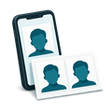
Scans Are Not Accepted
A scan of a printed photo will be turned down. Take a new digital photo instead.
Other Passports
UK and Irish passports use different photos. See the UK passport photo and the Irish passport photo.
We Make The Photo Only
You fill in and send your own passport application. We do not apply for you or contact the passport office.
Less Than 6 Months Old
The photo must be less than 6 months old. A fresh one is the safe choice.
What It Costs
| Digital photoThe photo file plus a printable 4x6 inch sheet, by email | $12.99 |
|---|---|
| DeliveryBy email, within minutes of the final check | Included |
| Acceptance guaranteeOptional, added at checkout | +$6.99 |
Where possible, prices show in your currency. Any taxes show at checkout. You pay once, and only after the first check passes.
Why NZ Passport Photos Get Rejected, And How We Catch It
The usual reasons:
- a photo that looks like a selfie: too close, tilted or off centre
- a scan of a printed photo
- the wrong shape, or a file outside 250 KB to 5 MB
- tinted or thick framed glasses, or glare on the lenses
- shadows or a busy background
The software checks shape, size, glasses, background and light before you pay. Our selfie guide sets the distance and framing so the photo reads like one taken by someone else. A new photo also avoids a scan.
What We Do Not Do To Your Photo
We set the 3:4 shape and file size and leave a clear gap around your head. We do not change your face, your features, your eyes or your expression, and we use no filters. The rules ban edits that change how you look, so we keep your own plain wall whenever it passes and replace the background only when your wall would fail. The safest route is a plain light wall behind you.
Source for these photo requirements: Passport photos (passports.govt.nz). We are not affiliated with this site. Always check the official instructions for your application.
FAQ
Your questions, answered
PassportPhotos.com is a private online photo service that makes New Zealand passport photos that meet the photo rules on passports.govt.nz. We are not part of the New Zealand Government.
What size is a New Zealand passport photo?
A 3:4 colour JPG, 900 to 4500 pixels wide and 1200 to 6000 pixels high, with a file size of 250 KB to 5 MB. That is the rule on passports.govt.nz.Can I take a selfie for my NZ passport?
Yes, with our selfie guide. passports.govt.nz says selfies will be rejected, so the guide sets the distance and framing to make the photo read like one taken by someone else, and the software checks every rule before you pay. Or ask a friend to take it from about 1.5 m away, at your eye level.Can I wear glasses in my NZ passport photo?
Yes, prescription glasses are allowed if they are not tinted or thick framed and there is no glare, according to passports.govt.nz.What background does an NZ passport photo need?
A plain, light coloured background with strong contrast to your face. Stand at least half a metre in front of it.Can my NZ passport photo be edited?
No. passports.govt.nz says do not edit, apply filters or use AI tools to change how you look. We never change your face.Do you apply for my passport?
No. We make the photo only and email you the file. You upload it to your own online passport application.What if my photo is rejected?
With the Acceptance guarantee, added at checkout, send us the rejection notice within 14 days and you get double your money back. Retakes before you pay are always free.
Get started
Choose your document
PassportPhotos is a private photo service. We are not affiliated with the New Zealand Government or any government. We make the photo only and do not process passport applications.
-
 Foto para passaporte americanoPopular no seu país
-
 Foto para renovação de passaporteArquivo digital por e-mail e folha para imprimir
-
 Foto de passaporte para bebêFoto conferida antes de você pagar
-
 Foto para green cardPopular no seu país
-
 All documentsPassports, visas and ID cards for 140 plus countries


